What is the Location QR Code Generator? — the direct answer
Location QR Code Generator — create a QR code that opens your exact location in the phone's maps app — coordinates or a shared Maps link. It works instantly in your browser: paste your content, adjust the options, and copy the finished result. No sign-up, no installation and no uploading — your data never leaves this page.
Whether you found this page while searching for location, code, generator, maps, or arrived from the QR Code Tools collection, the goal is the same: turn a fiddly manual chore into a ten-second task. The sections below explain what the tool does, how to use it, when it helps most, and the mistakes worth avoiding.
What does the Location QR Code Generator actually do?
A QR code is simply text wearing a machine-readable costume: the same black-and-white squares can carry a website link, a Wi-Fi password, a contact card, a payment request or a map location, and the phone's camera knows what to do with each kind because every format follows a public standard — WIFI:, mailto:, tel:, geo:, the vCard format and WhatsApp's wa.me links. A QR tool's real job is therefore precision: build exactly the right string, encode it at a size and error-correction level that survives printing, and never ask you to hand your details to a stranger's server to do it.
The Location QR Code Generator applies that idea to one specific job and does it thoroughly. It is part of the QR Code Tools family on ToolAora, and it follows the same promise as every tool here: paste, process, copy — finished. Free, with no sign up and no installation, today and always. Because the processing happens locally in your browser, there is no queue, no file-size upload limit imposed by a server, and no waiting for an email with your result attached.
Location QR Code Generator features — what this tool actually does
Quick facts: Cost — free, forever. Sign-up — none. Processing — 100% in your browser. Works on — any modern browser on any device. Guide last updated — 1 November 2026, by the ToolAora editorial team.
How do you use the Location QR Code Generator? Step-by-step
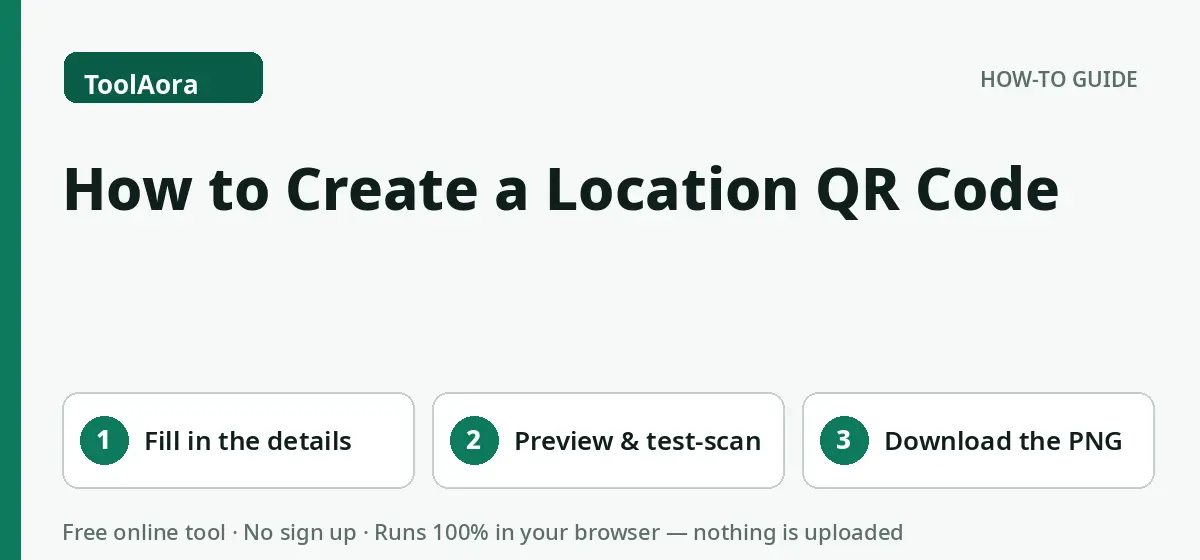
- Fill in the details in the form — only the fields you see are encoded, nothing else.
- Check the live preview and the "exactly what this QR code contains" panel, then test-scan the code with your own phone camera.
- Choose a PNG size and colours, press Download, and print or share the finished code.
- Check the result once before you use it — a ten-second review catches the rare case where an option was not set the way you intended.
- If something looks wrong, adjust the options and run it again; experimenting costs nothing and your original stays safe in your own files.
That is the complete workflow. There is deliberately nothing else to learn: no account to create, no settings page to configure, and no export dialogue to fight with. If you can paste text, you already know how to use this tool.
What are the benefits of using the Location QR Code Generator?
- It saves real time. Work that takes minutes of careful copying, counting or reformatting by hand finishes in seconds, and the time saved grows with every extra line of input.
- It is consistent. The same rules are applied to every character and every line, so the output does not depend on tiredness, attention or who happens to do the job.
- It protects your original. The tool works on what you paste into the page; your source file on your own device is never modified, so you can always start again.
- It is private by design. All processing happens in your browser with JavaScript — nothing is uploaded, logged or stored, which makes it safe for drafts, internal documents and client work.
- It works anywhere. Any modern browser on any device — Windows, Mac, Android or iPhone — runs the tool exactly the same way, with nothing to install or update.
When should you use the Location QR Code Generator? Real use cases
- Letting guests, customers and Airbnb visitors join Wi-Fi without reading out a password — the Location QR Code Generator handles this in one pass instead of a long manual session.
- Putting a saveable contact card on business cards, invoices and stall banners — the Location QR Code Generator handles this in one pass instead of a long manual session.
- Opening WhatsApp chats from packaging, receipts and shop windows — the Location QR Code Generator handles this in one pass instead of a long manual session.
- Collecting payments at a counter with the amount already filled in — the Location QR Code Generator handles this in one pass instead of a long manual session.
- Sending wedding and event guests straight to the venue in their maps app — the Location QR Code Generator handles this in one pass instead of a long manual session.
- Growing social followers from posters, menus and product labels — the Location QR Code Generator handles this in one pass instead of a long manual session.
Beyond these everyday examples, the tool is also handy in less obvious moments: double-checking work a colleague sent you, preparing data before a deadline, cleaning up content while migrating a website, or simply answering a quick question about your text without opening heavy desktop software.
Example: the Location QR Code Generator in action
Sample input
Paste that sample into the tool above and watch the result appear instantly. The sample is deliberately small so you can see exactly what changes; the same rules apply unchanged to a file with ten lines or ten thousand lines. Once you understand the effect on the sample, replace it with your own content and run the same steps.
Tips for getting the best results
- Always test-scan the finished code with your own phone before printing or publishing it.
- Keep strong contrast: dark code on a light background scans fastest, in any colours.
- Print at least 2–3 cm wide for arm's-length scanning, and bigger for posters.
- Use high error correction when a logo sits in the centre, and keep the logo small.
- A Wi-Fi or payment code contains sensitive details — display it only where the right people can see it.
What mistakes should you avoid?
The most common mistake is pasting the wrong version of a document and only noticing after the result has been used — keep your versions clearly named. The second is chaining several transformations without looking at the intermediate result; when something looks off, you then cannot tell which step caused it. Finally, remember that automated tools follow rules literally: if your input contains an unusual edge case, the output will follow the rule, not your intention, so one quick human review is always worthwhile.
Is the Location QR Code Generator private and safe to use?
Yes. Like every tool on ToolAora, the Location QR Code Generator is a client-side tool: the code runs on your device, inside this page. Your input is not sent to a server, not saved to a database and not used to train anything. Refreshing the page clears everything. That design is why the tool can be offered free, instantly and without accounts — and why it is suitable for sensitive drafts that you would never paste into an unknown server-side service.
How does the Location QR Code Generator work behind the scenes?
Under the hood, each generator first builds the exact payload string its standard demands — the escaped WIFI: format for networks, a VERSION 3.0 vCard for contacts, wa.me for WhatsApp, SMSTO: for texts, geo: coordinates for locations, upi://pay for UPI payments — and shows that string on screen so you can verify precisely what the code carries. The string is then encoded with the industry-standard QR algorithm: Reed–Solomon error correction is woven into the pattern, which is why a code still scans when part of it is dirty, damaged or covered by a small logo. Rendering and PNG export happen on a canvas in your browser, at the exact pixel size you chose.
All of that happens in the time between pasting your content and seeing the result — usually a fraction of a second. There is no upload progress bar and no processing queue because there is nothing to wait for: your device does the work itself, using the same JavaScript engine that powers interactive websites. That is also why the Location QR Code Generator keeps working if your connection drops after the page has loaded.
Location QR Code Generator vs manual methods and desktop software: which is better?
Most QR websites wrap the same free libraries in accounts, expiring codes, scan limits and 'dynamic QR' subscriptions that hold your link hostage — the code on your printed poster can simply stop working when a trial ends. Codes made here are static and standard: the destination lives inside the pattern itself, not on anyone's server, so a code printed today keeps working for as long as the Wi-Fi password, number or link it carries stays valid. There is nothing to expire, nothing to subscribe to, and no scan data collected about the people who use your code.
To put it plainly: choose the manual method when the job is tiny and judgement matters more than speed — a single sentence, a creative decision, a final human proofread. Choose desktop software when the job is part of a large, saved project that you will reopen for weeks. Choose the Location QR Code Generator for everything in between — the everyday, repeatable, rule-based jobs where the correct answer is defined by a pattern, a count or a format, and where finishing in ten seconds instead of ten minutes is the whole point.
Workflow ideas: combining the Location QR Code Generator with other tools
Most real jobs are not one step — they are a short chain. The Location QR Code Generator is designed to be one reliable link in that chain, with output you can paste straight into the next tool. These combinations cover the workflows readers ask about most often:
- Pair a Wi-Fi code for guests with a social-media code beside it, so visitors connect and follow in one visit.
- Put a vCard code on the back of a business card and a payment code on the invoice that follows.
- Use a location code on invitations together with a WhatsApp code for RSVP replies.
- Design one master QR with your brand colours and logo, then reuse the same style across every code you print.
- Before any print run, scan every code from the printed proof — not just from the screen.
The golden rule of chaining tools is simple: look at the output of each step for five seconds before starting the next one. That tiny habit turns a chain of automatic steps into a process you actually control, and it means that if the final result ever surprises you, you already know exactly which step to revisit.
A short checklist before you rely on the result
Before the output of the Location QR Code Generator goes into a published page, a production file, an email or an assignment, run through this quick checklist. It takes less than a minute and prevents almost every problem readers ever report:
- Right input? Confirm you pasted the latest version of your content, not an older draft still sitting on the clipboard.
- Right options? Glance at every setting at the top of the tool and confirm each one matches what this particular job needs.
- Spot-check the output. Read the first lines, the last lines and one section from the middle — errors, if any exist, usually reveal themselves in one of those three places.
- Counts make sense? If the tool reports a number — items found, lines removed, characters produced — ask whether that number is roughly what you expected before you started.
- Original kept safe? Make sure your untouched source still exists somewhere, so any step can be repeated or reversed without panic.
- Right destination? Paste the result into a scratch area first when the destination is important, and only move it into the final document once it looks right.
Why accuracy matters more than speed
It is tempting to judge a tool like this purely on how fast it feels, but the real value of the Location QR Code Generator is accuracy at scale. A person working carefully is accurate for the first fifty lines and quietly less accurate by the five-hundredth; attention is a limited resource and repetitive work spends it quickly. The tool spends nothing — the rule it applies to the last line is applied with exactly the same care as the rule it applied to the first. That consistency is what makes the output safe to build on: a list you can import, a file you can deploy, a count you can quote, without re-checking every single entry by hand.
Accuracy also compounds. When the output of one step is clean, the next step — publishing, importing, sending, analysing — works first time instead of failing on a hidden defect and sending you back to investigate. Teams feel this most: one person's cleaned, verified output becomes everyone else's reliable starting point, and the small discipline of using the right tool once replaces hours of collective untangling later.
Getting faster with the Location QR Code Generator: habits worth building
After a few uses, most people settle into a rhythm that makes the tool feel almost invisible. Keep the page bookmarked under the tool's name so it is one click away. Learn the Sample button's value — it is the fastest way to remind yourself what a tool does before trusting it with real work. Paste with the keyboard shortcut, copy the result the moment it appears, and resist the urge to edit output by hand; if something needs changing, change the option or the input and regenerate, so the result stays consistent and repeatable. Finally, when a job recurs — a weekly list, a monthly report, a regular publishing chore — note the exact options you used, so next time the whole task is finished before your coffee cools.
In short, the Location QR Code Generator exists to give you back the minutes that small, fiddly jobs quietly steal every day — accurately, privately and free. Bookmark it, use it whenever the job appears, and let the manual method retire to the rare occasions where human judgement, not speed, is what the work really needs.